
Step by Step process of how to import a batch accounts in a spreadsheet to OasisLMS.
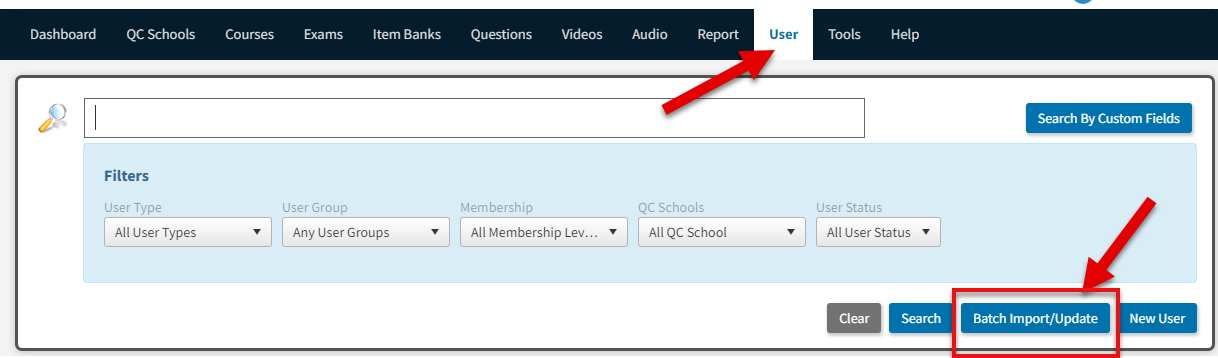
1. go to USERS > Click BATCH IMPORT/ UPDATE > click on NEW USER TEMPLATE
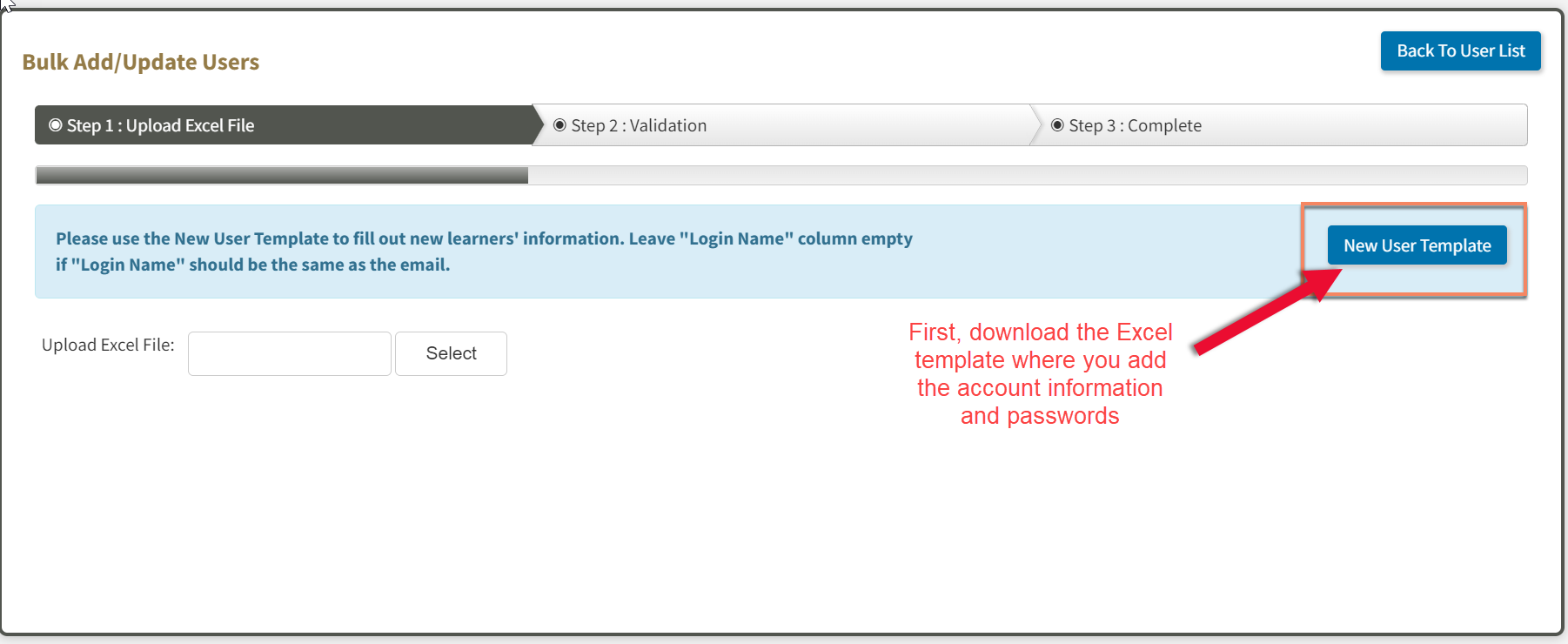
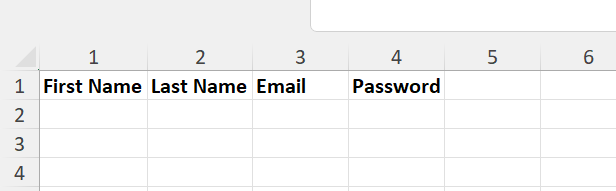
2. Fill out the spreadsheet according to the format spreadsheet you download.
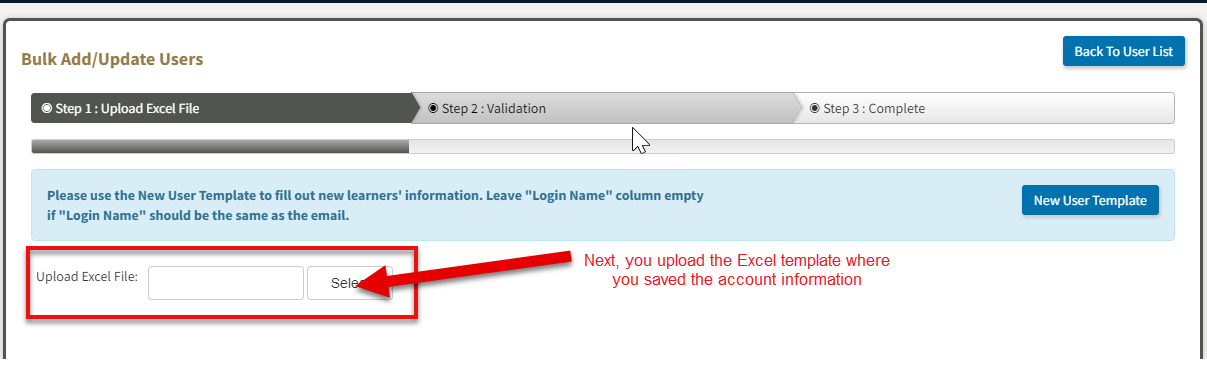
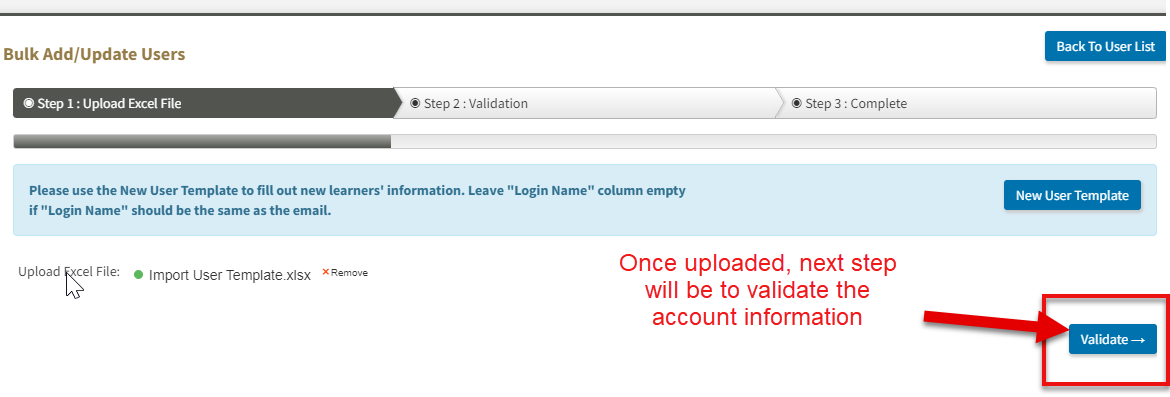
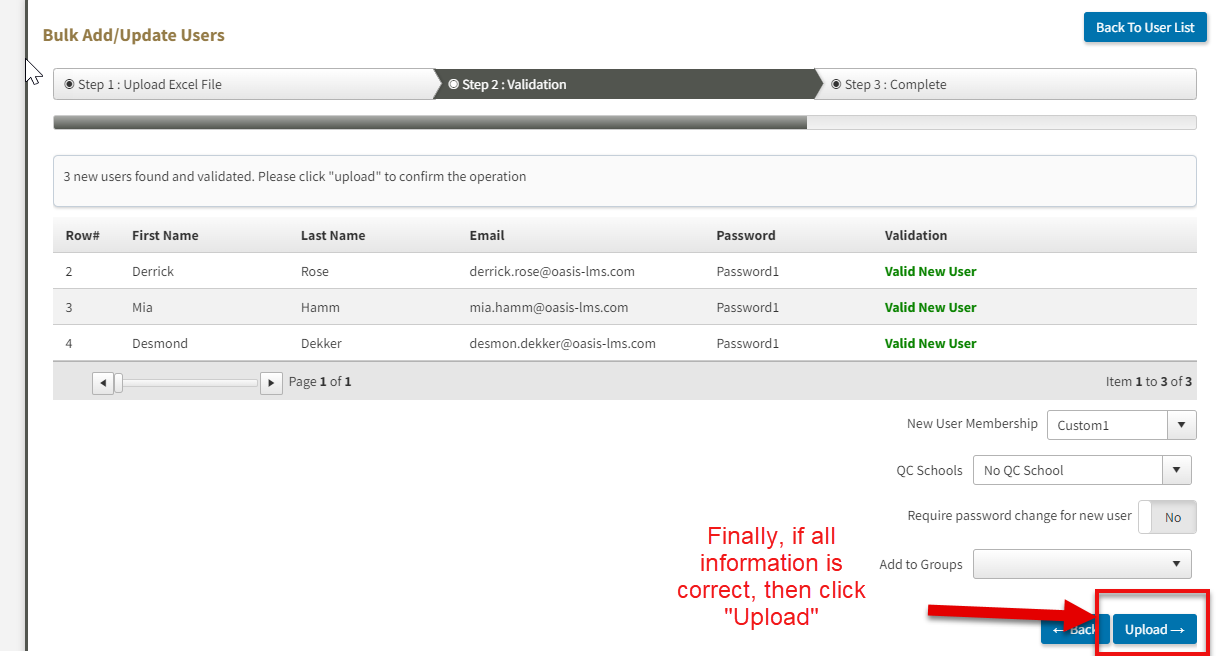
3. Save and Upload the spreadsheet > Click VALIDATE. If all the info are correct, then click UPLOAD.
NOTE: This will create a placeholder account in the system. If your system uses Single Sign On (SSO) and if the user with that log in comes in, it will take over the placeholder account. Because of that, the password that you imported is really not being used.
Comments
0 comments
Please sign in to leave a comment.