
NOTE: Question series always go together
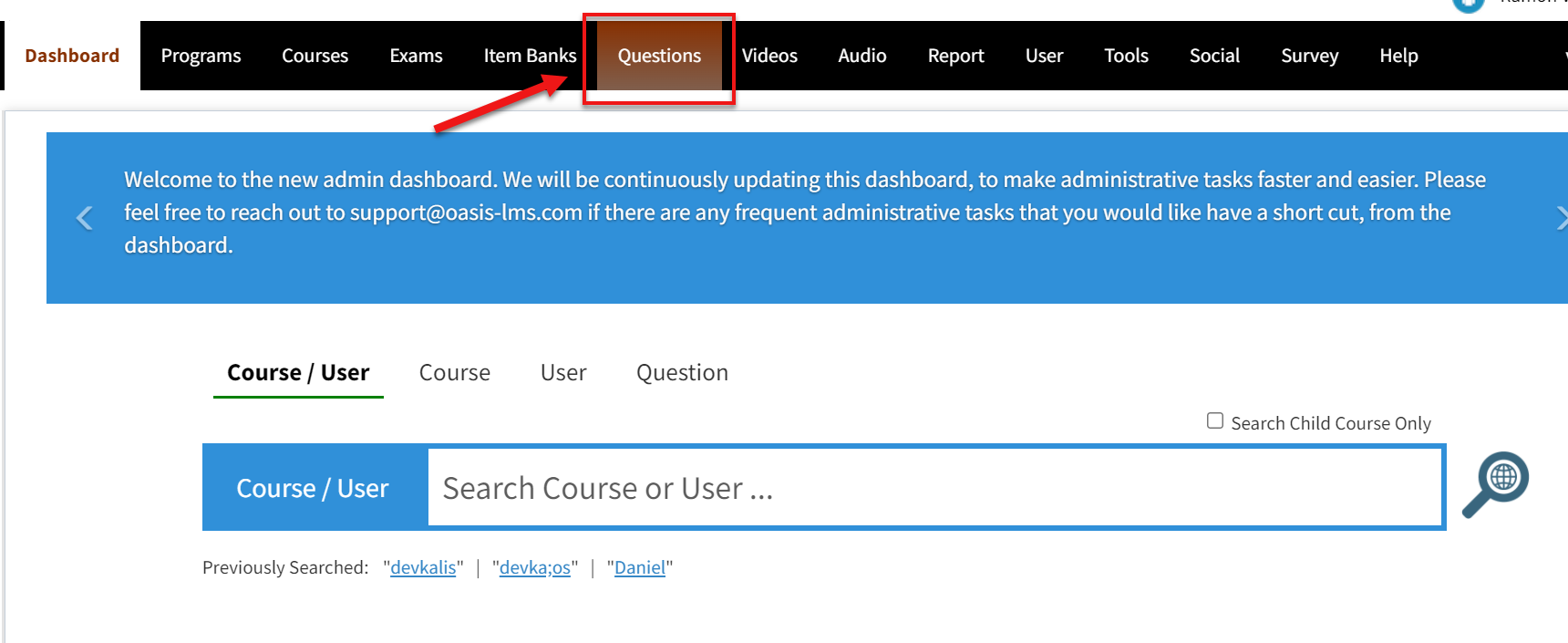
Go to Questions from the Menu tab
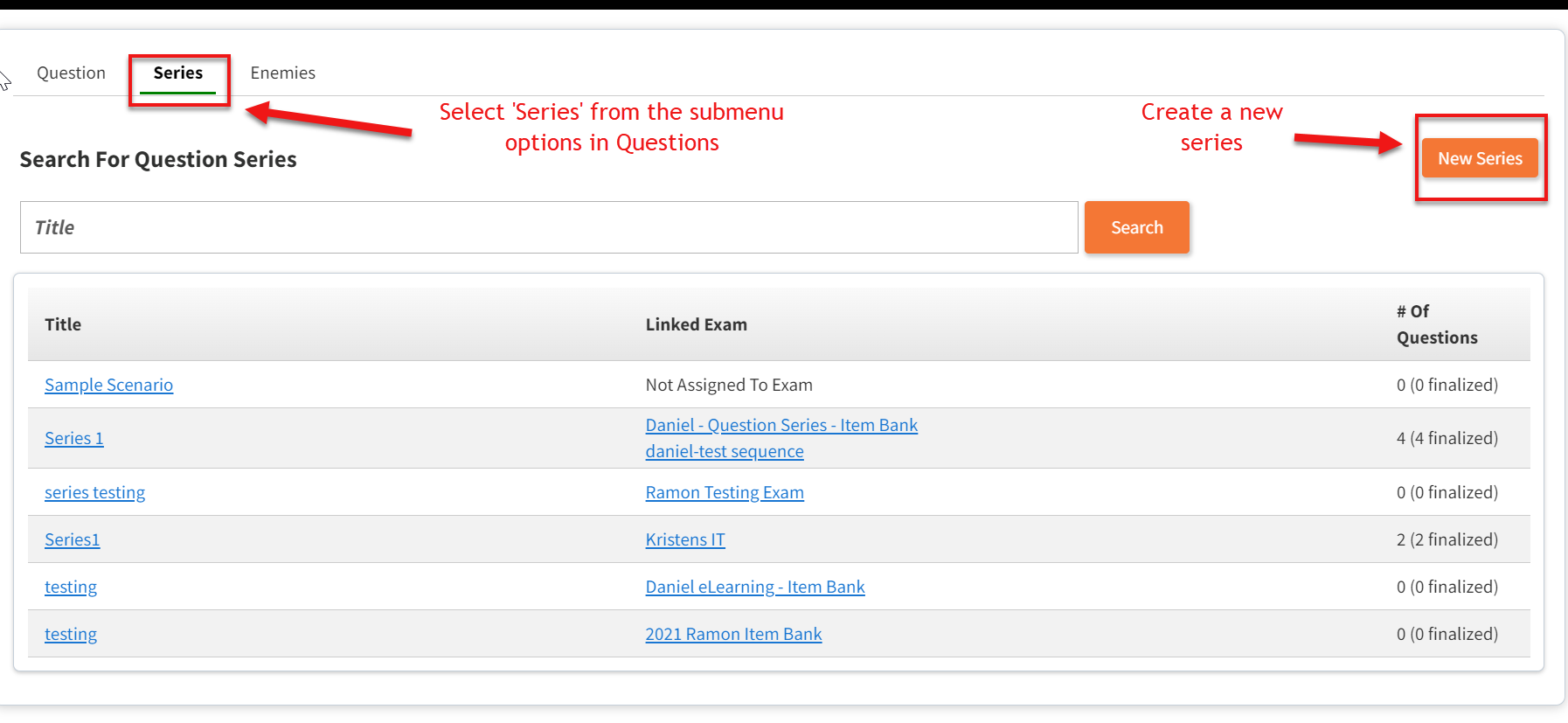
Inside Questions > select Series from the submenu option > then select New Series
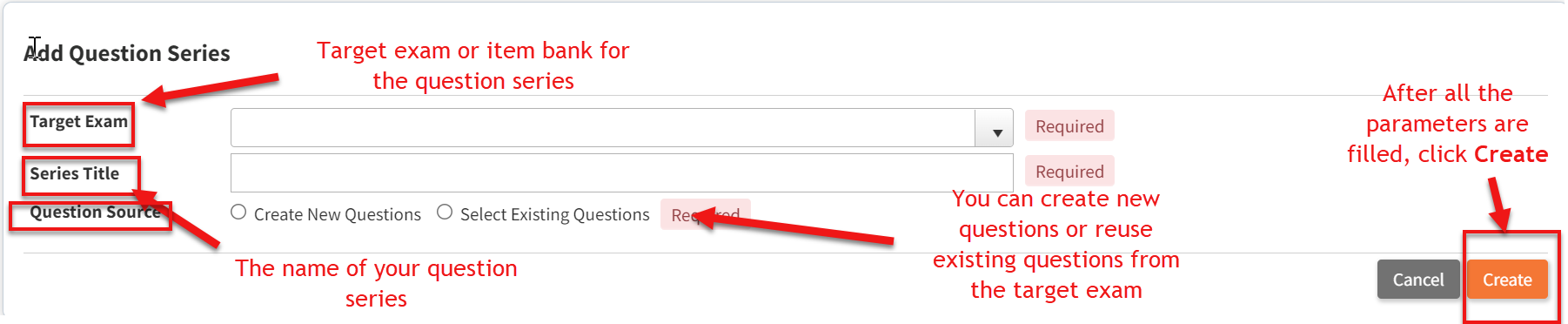
Select the required parameters for your question series and once that is done, click Create
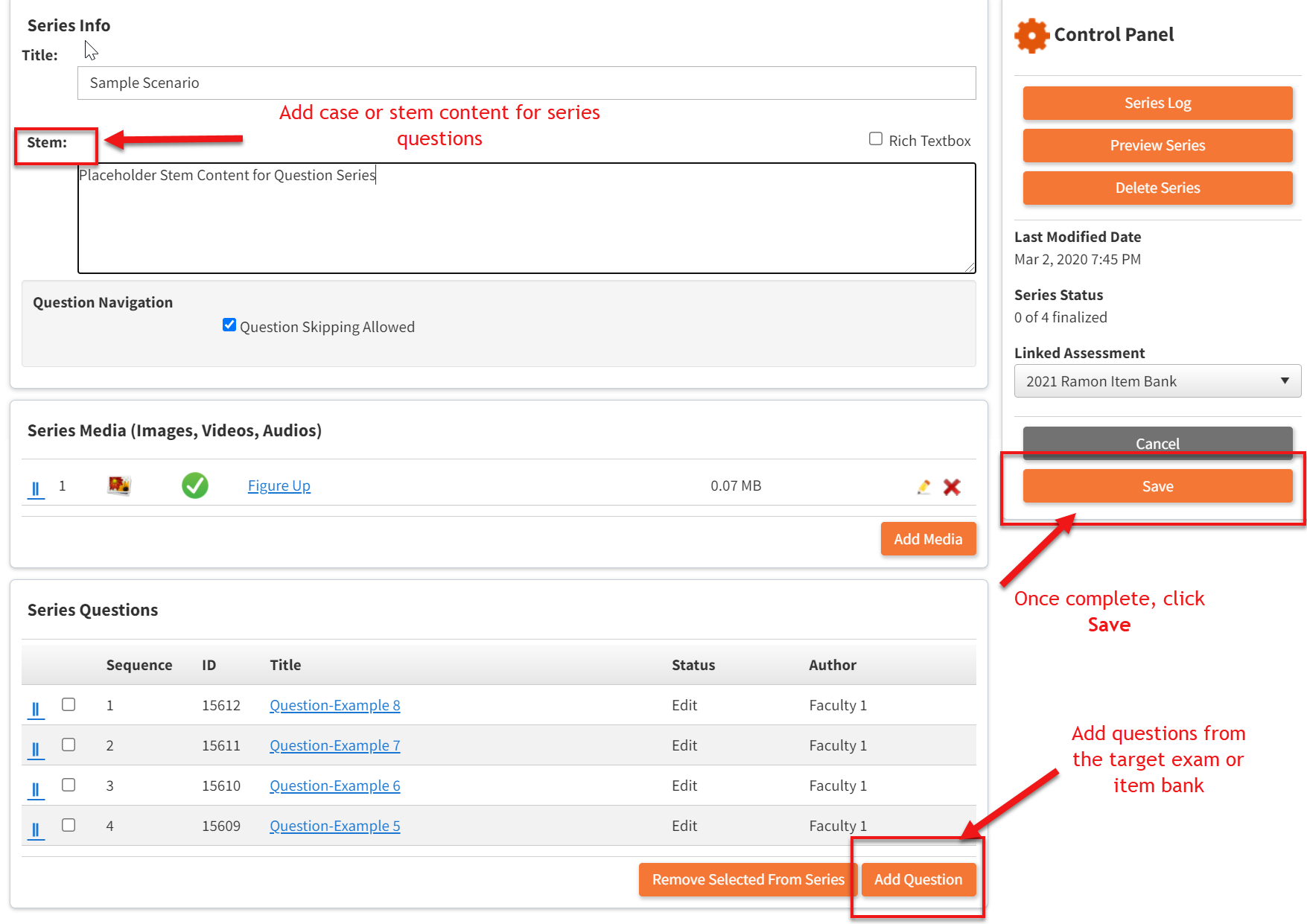
When creating question series you will need to add a case or stem content for the series and add the questions from the target exam or item bank. After that is completed, click Save.
Comments
0 comments
Please sign in to leave a comment.