
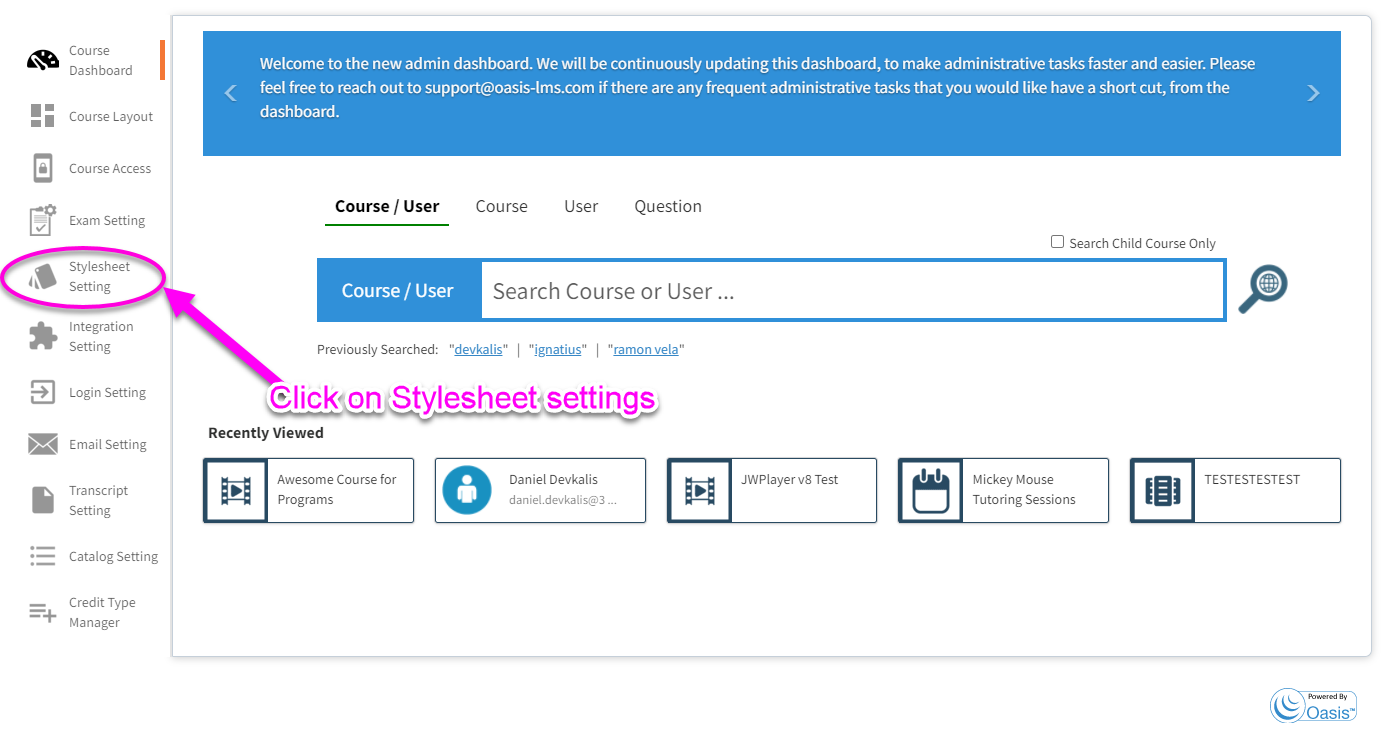
1. Click on the Stylesheet settings icon on the left-hand panel on the course dashboard page
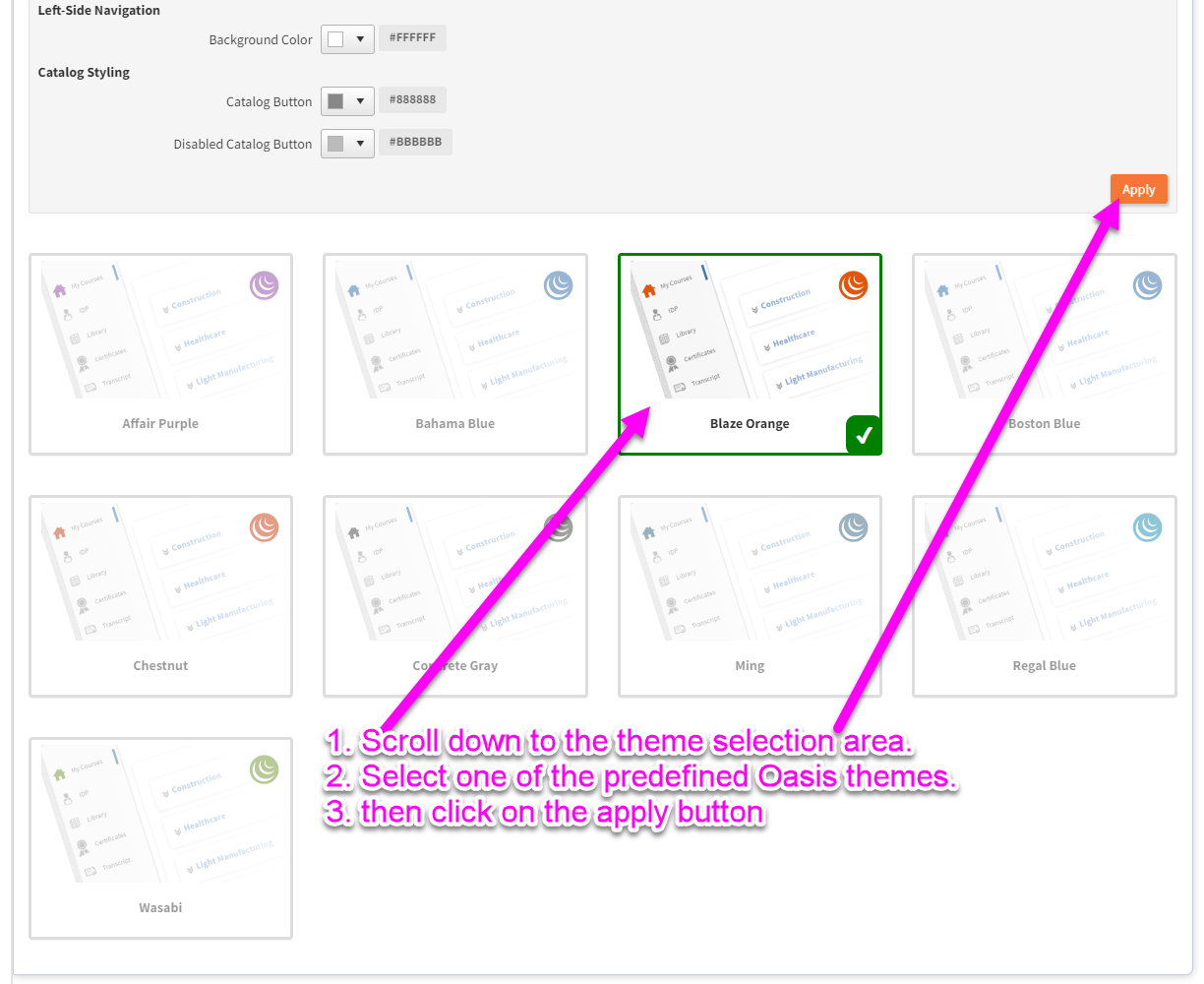
2. Scroll down to the theme selection area > Select one of the predefined Oasis themes > Click on the APPLY button
3. For detail information on every setting, please review the attached document Stylesheet Setting.docx.
Comments
0 comments
Article is closed for comments.